AlbumVerse Español

The photo app for Android

Free your phone. Lose nothing.

Swipe through your photos to clean your phone in minutes, keep what matters safe in the cloud, and see your trips on a globe. Nothing is deleted until you have seen it.

Free to start, with 5 GB of cloud. No ads.

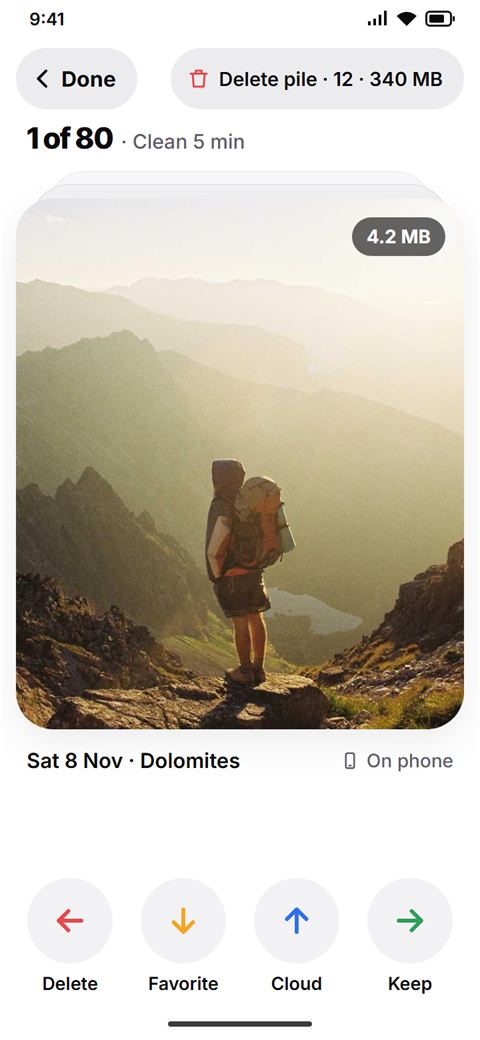
The swipe screen: a mountain photo on a big card, with the buttons Delete, Favorite, Cloud and Keep under it
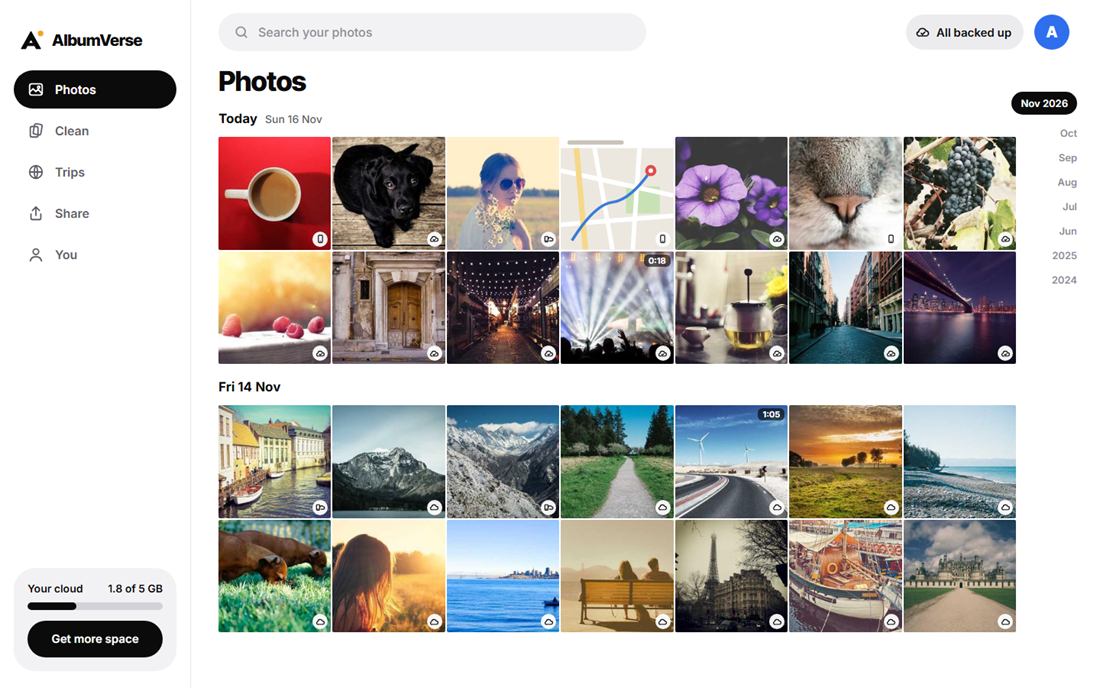
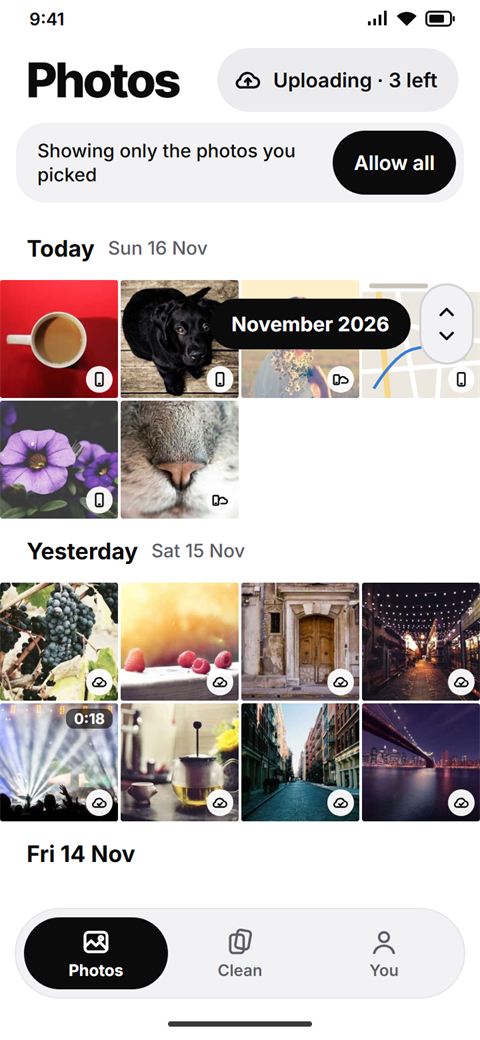
The Photos screen: your pictures by day, each marked as on the phone or in the cloud

Swipe to clean

Clean your phone in five minutes.

One photo at a time, big and uncropped. Swipe, or tap the button that does the same. You decide every photo, so nothing surprising ever disappears.

  • Left: DeleteIt goes to your delete pile, not gone yet.
  • Right: KeepThe photo stays as it is.
  • Up: CloudSend it to your cloud copy.
  • Down: FavoriteMark the ones you love.

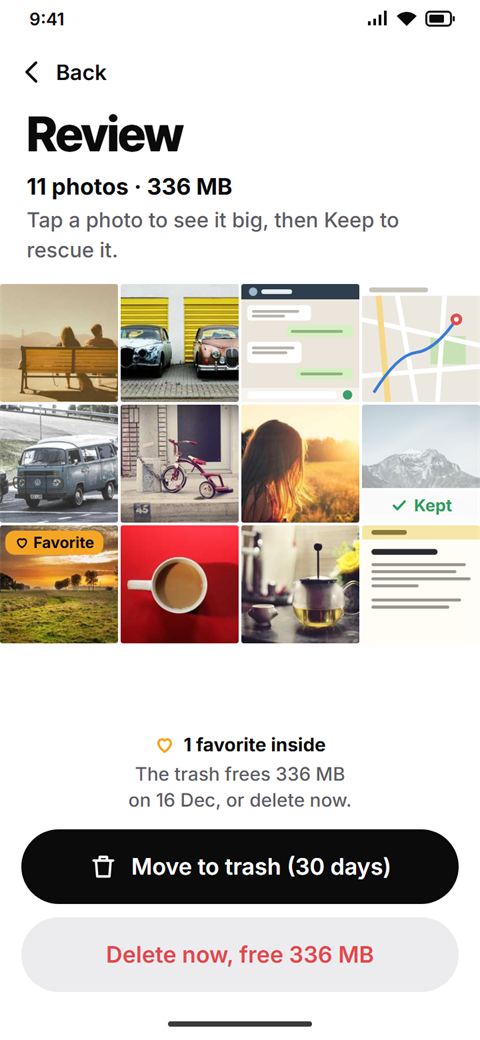
The review screen: the photos in the delete pile, with the button Move to trash (30 days)

Duplicates and look-alikes

Ten shots of the same grapes? Keep one.

AlbumVerse finds photos that are the same or almost the same and shows them in groups. You tap the one to keep; the rest go to the delete pile, and you review the pile before anything is removed.

Your cloud copy

Keep it in the cloud. Free the space on your phone.

Send the photos that matter to your AlbumVerse cloud, then remove them from your phone or keep a small copy. After any reduction we keep your original for 30 days, with a Restore button.

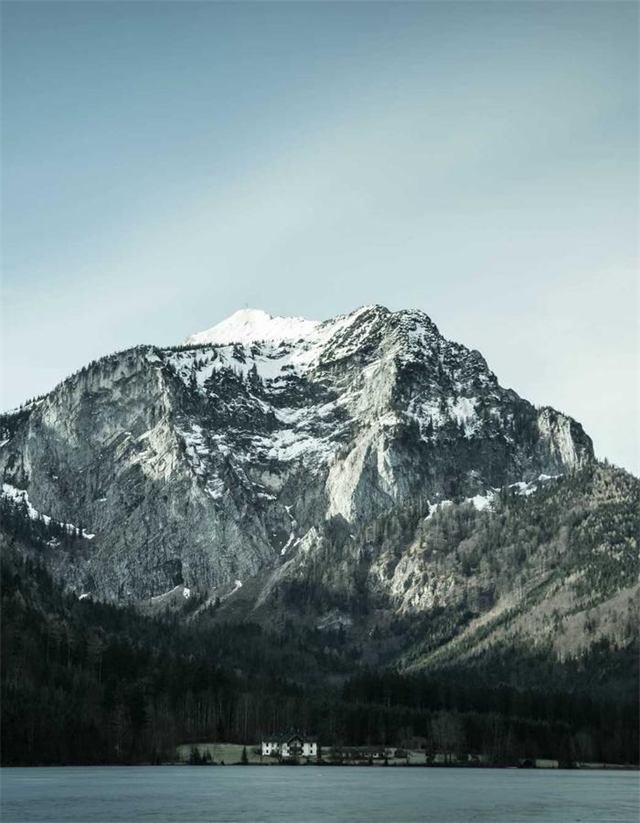
A mountain lakeIn the cloud
A sunsetIn the cloud
A white village by the seaIn the cloud

Free

5 GB
  • Good copies of your photos in the cloud
  • Originals stay on your phone
  • No ads

Free

Plus

200 GB
  • Every original saved at full size
  • Pay with Google Play, cancel any time

€2.99 per month
€29.99 per year (about two months free)

  1. 1. Send it upSwipe up on a photo, or let it back up on its own when you turn that on.
  2. 2. Choose what staysRemove it from the phone, keep a small copy, or keep it as it is.
  3. 3. Get it back anywhereOpen it in the app, on the web, or download it again.

Trips on a 3D globe

See everywhere you have been.

AlbumVerse groups your photos into trips by when and where they were taken. Turn the globe with your finger, tap a country, open the trip and relive it, or download it.

A globe with the countries you visited in blue
7 countries
A white village above the sea
SantoriniAug 2026 · your trip

AlbumVerse on the web

Your photos on any computer.

Sign in with Google at albumverseapp.com/app and see everything you keep in the cloud, by day, with no app to install.

  • SeeBrowse your photos and open them big.
  • UploadDrop photos from your computer into your cloud.
  • DownloadTake one photo, or a whole selection as a zip.
albumverseapp.com/app
AlbumVerse in a web browser: your photos by day with a side menu

Our privacy promise

Your photos are yours.

Privacy is a feature, not a footnote.

Encrypted

Your cloud files are stored encrypted, each with its own key. Nobody on the team browses your photos.

No ads from your photos

We never sell your data and never use your photos to show you ads or to train AI.

Location stays private

When you share a link, the place where the photo was taken is removed by default.

Leave any time

Delete your account in the app or by email. Your cloud photos go; the ones on your phone are never touched.

Questions

Is AlbumVerse free?

Yes. You start free, with 5 GB of cloud. If you want more room, Plus gives you 200 GB for €2.99 a month or €29.99 a year, paid with Google Play. You can cancel any time.

Will it delete my photos without asking?

Never. Every photo you swipe left goes to a delete pile that you review first, then to a trash where it stays 30 days. On your phone, the deletes are grouped into one system request that you confirm.

Which phones does it work on?

Android phones with Android 11 or newer, from Google Play. On a computer, open albumverseapp.com/app in any modern browser.

Who can see my photos?

Only you. Nobody on the team browses your photos; the few exceptions, such as a security problem or a report you send us, are listed in the privacy policy.

What happens if I delete my account?

Your account and everything you backed up to the AlbumVerse cloud are removed from our servers at once. The photos on your phone are never touched. Here is how, with or without the app.

Free your phone. Lose nothing.

Questions? Write to the AlbumVerse team: support@albumverseapp.com